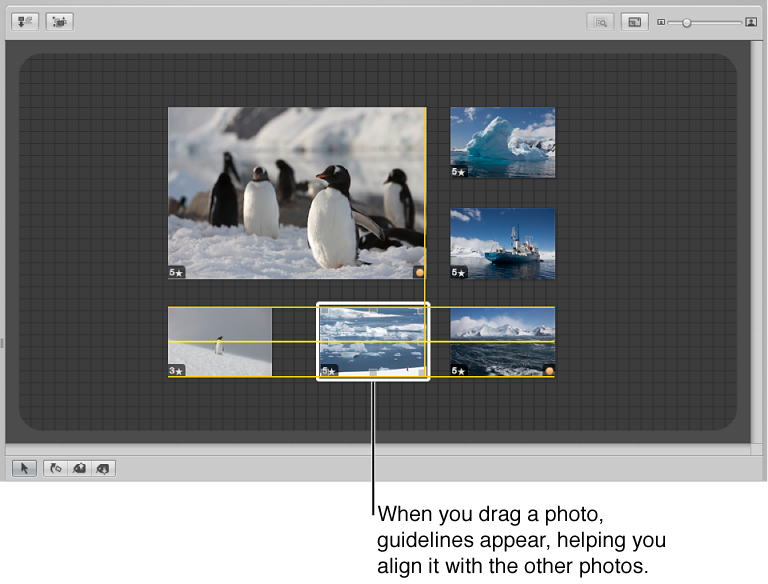

You can drag photos to new locations in the Light Table, trying out different combinations and orientations. For example, you might take a group of related photos and arrange them to see how they’d appear on a print page. You can also enlarge or reduce photos. After resizing a photo, you can quickly reset the photo back to its original size.
As you drag photos in the Light Table, yellow guidelines appear to mark the vertical, horizontal, and center points of the stationary, unselected photos in relation to the photos you’re dragging. Using the guidelines, you can make sure that your selected photos visually align with other photos in the Light Table.
You can also select a group of photos in the Light Table and automatically align them according to their top, bottom, or side edges, or by their centers. In addition, you can have Aperture arrange a selected group with equal space between each photo.
In the Light Table, select the photos you want to move and drag them to a new location.
To add more space for your photos to the Light Table, drag a photo to the border of the Light Table until the screen begins to scroll.
Position the pointer over the photo, and drag a resize handle.
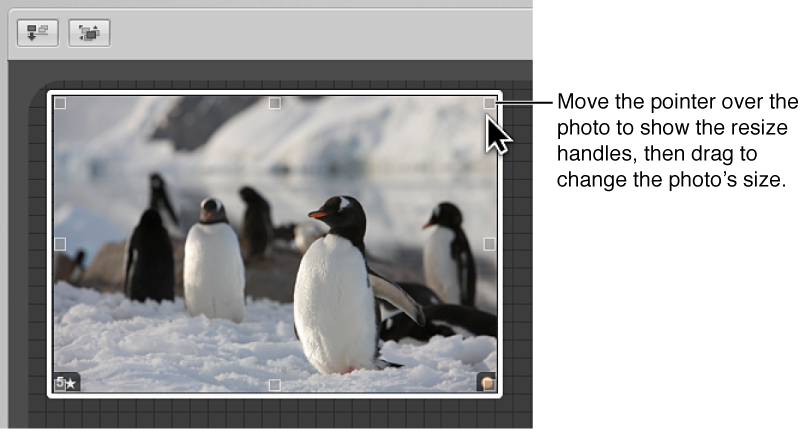
To reset the photo to its previous size, Control-click it and choose Reset Selected Size from the shortcut menu.
To manually align photos: In the Light Table, select the photos you want to align, making sure that the photo or photos you want to align with remain unselected, and then drag the selected photos.
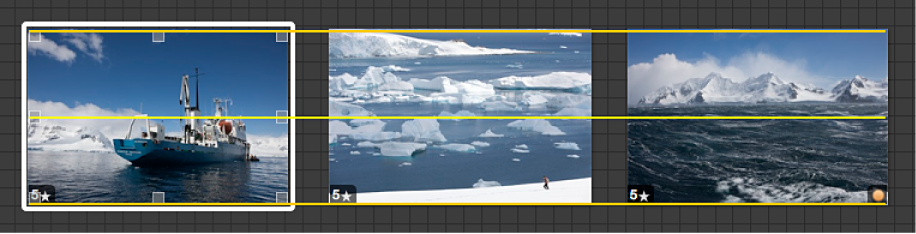
As you drag, yellow guidelines appear to help you align the selected photos with the unselected ones. When you quit dragging, the yellow guidelines disappear.
To automatically align a photo selection by the photos’ edges or centers: Select a photo or group of photos, Control-click the photo selection, choose Align from the shortcut menu, and choose an alignment option from the submenu.
To automatically arrange all photos in the Light Table: Control-click beside the photos, and choose Arrange All Items from the shortcut menu.
If some photos in a group are hidden behind other photos, you can reveal, or uncover, all photos in the group.
Select the top photo in the group.
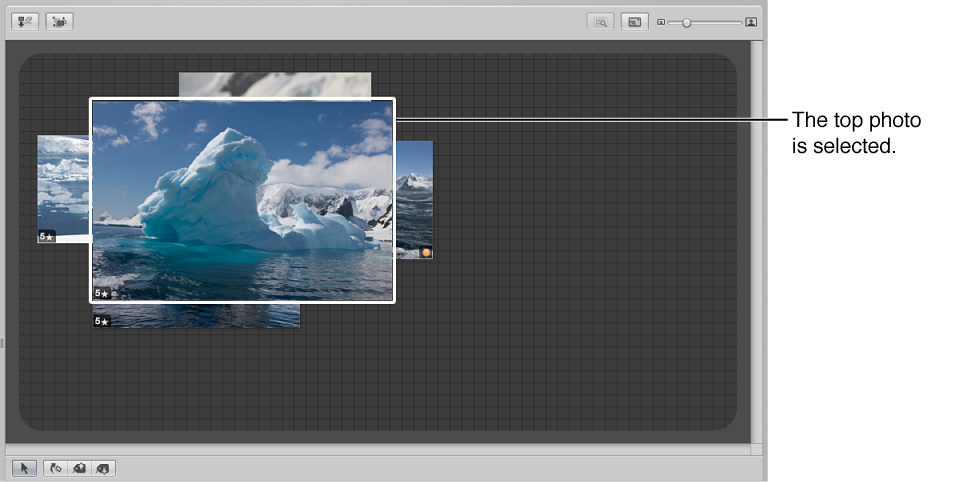
Click the Uncover button (or press Shift-X).
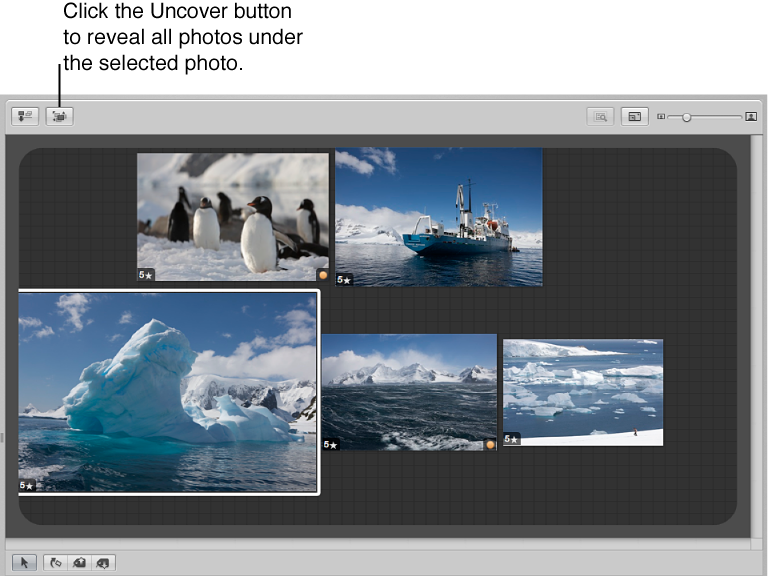
To regroup the photos, select an uncovered photo. The photos are regrouped, with the selected photo on top.
After arranging photos in the Light Table, you can print the photo arrangement for further review. For more information, see Print Light Table arrangements.