
Apply an iPhoto effect to an image
Select an image.
Choose iPhoto Effects from the Add Adjustment pop-up menu in the Adjustments inspector or the Adjustments pane of the Inspector HUD.
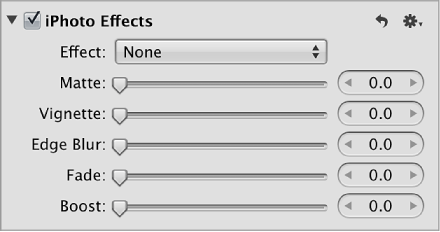
Do either or both of the following:
To apply the Black & White, Sepia, or Antique effect to the image: Choose an option from the Effect pop-up menu.
The Amount slider and value slider appear when you choose Antique from the Effect pop-up menu. Use the Amount controls to adjust the intensity of the Antique effect.
Note: The None option removes the Black & White, Sepia, or Antique effect.
To apply the Matte, Vignette, Edge Blur, Fade, or Boost effect: Drag the slider or use the value slider for the effect.