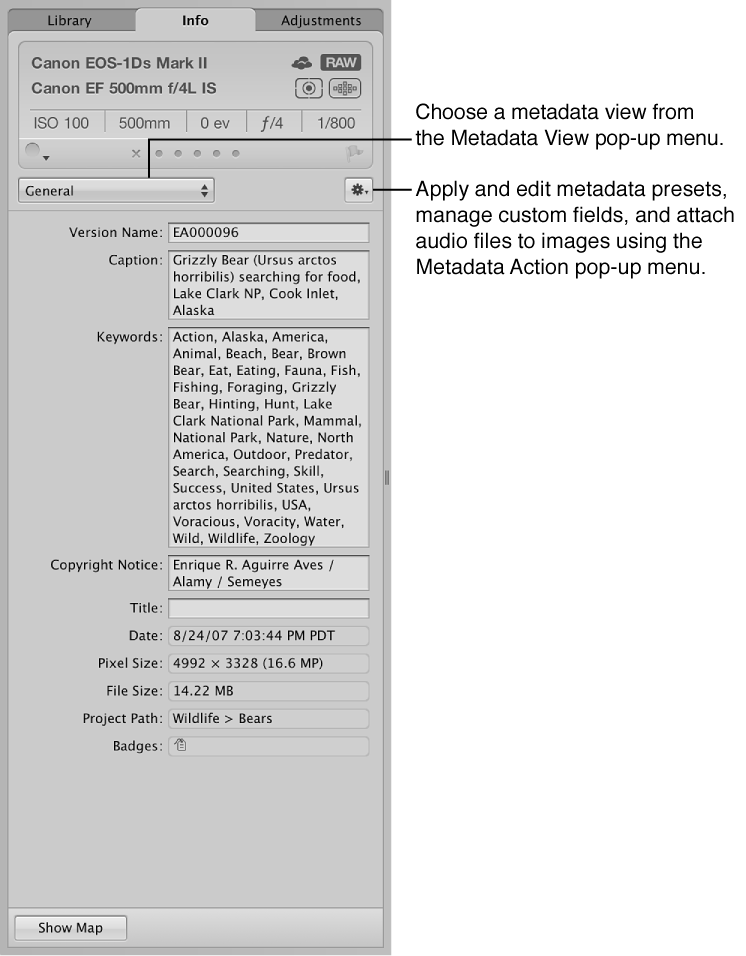
In the Info inspector
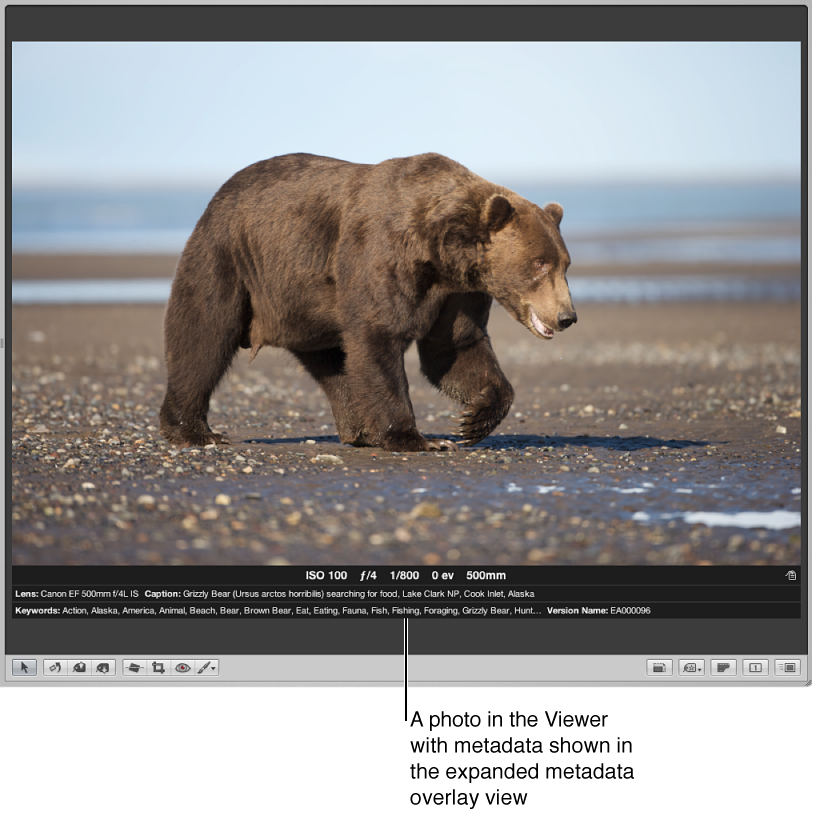
In caption-style overlays that appear underneath photos in the Browser and Viewer
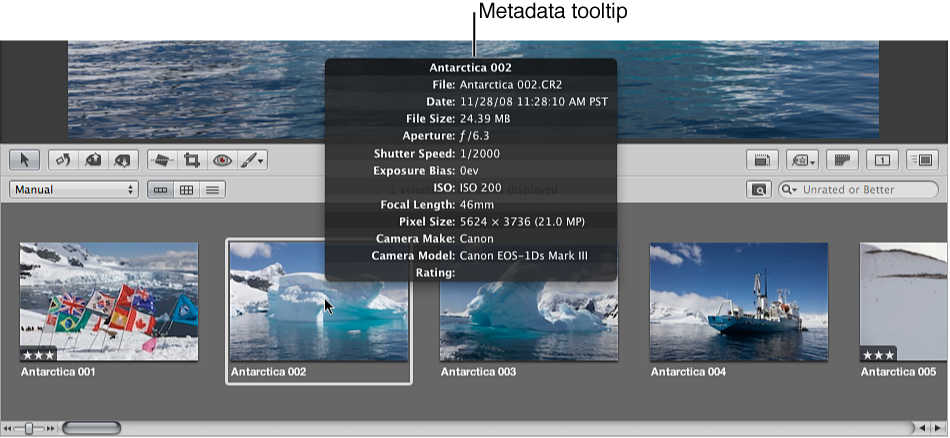
In metadata tooltips—floating info windows that appear when you position the pointer over a photo in the Browser or Viewer

Information about your photos, including the types of adjustments applied, information recorded by the camera, and descriptive information about the photos, is called metadata. In Aperture, you work with three types of metadata:
Exchangeable Image File data: information recorded by the camera and stored in the image file at the time it was shot, such as shutter speed, f-stop, the time the photo was captured, the camera model, and GPS data (for cameras that support it).
Aperture-applied data: information you add within Aperture, such as a version name, color labels, flags, keywords, when the photo was imported, the types of adjustments applied to it, and how and where it was published.
International Press Telecommunications Council data: standardized data used by photographers and media organizations to embed keywords, captions, copyright notices, and other information in the image files themselves. You can view and modify IPTC metadata in Aperture.
Note: For more information about working with GPS data in Aperture, see Places overview and View photo locations.
You can view metadata in any of three places:
In the Info inspector
In caption-style overlays that appear underneath photos in the Browser and Viewer
In metadata tooltips—floating info windows that appear when you position the pointer over a photo in the Browser or Viewer
You can turn the display of overlays on or off. You can choose to display a basic overlay view showing a photo’s version name and caption, or you can choose to display an expanded overlay view showing a photo’s rating, badges, aperture setting, shutter speed, and other information. Additionally, you can create a custom overlay view to display any combination of metadata.
You can choose different metadata overlay views for the Viewer, the Browser in grid view and filmstrip view, and the Browser in list view. You can also display metadata with labels that help identify the types of metadata being displayed.
Note: Choosing a metadata view for the Viewer also defines the metadata that appears with photos in full-screen view. Choosing a metadata view for the Browser in grid view defines the metadata that appears with thumbnail images in the full-screen view filmstrip, as well as thumbnail images in the full-screen-view Browser mode.