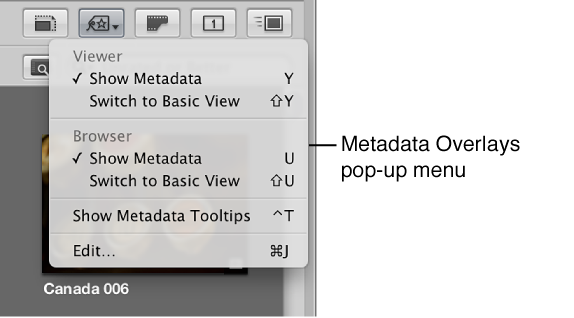

You can turn the display of metadata on and off and switch between metadata overlay views in the Viewer and Browser independently using menu commands or the Metadata Overlays pop-up menu in the tool strip.
Do one of the following:
Choose View > Metadata Display, then choose Show Metadata from the Viewer section of the submenu (or press Y).
In the tool strip, choose Show Metadata from the Viewer section of the Metadata Overlays pop-up menu.
Do one of the following:
Choose View > Metadata Display, then choose Switch to Expanded View or Switch to Basic View from the Viewer section of the submenu (or press Shift-Y).
In the tool strip, choose Switch to Expanded View or Switch to Basic View from the Viewer section of the Metadata Overlays pop-up menu.
Do one of the following:
Choose View > Metadata Display, then choose Show Metadata from the Browser section of the submenu (or press U).
In the tool strip, choose Show Metadata from the Browser section of the Metadata Overlays pop-up menu.
Do one of the following:
Choose View > Metadata Display, then choose Switch to Expanded View or Switch to Basic View from the Browser section of the submenu (or press Shift-U).
In the tool strip, choose Switch to Expanded View or Switch to Basic View from the Browser section of the Metadata Overlays pop-up menu.
Note: Switching to the expanded view increases the number of columns displayed in list view.
Do one of the following:
Choose View > Metadata Display > Image Tooltips (or press Control-T).
In the tool strip, choose Show Metadata Tooltips from the Metadata Overlays pop-up menu.
A checkmark appears next to the menu item when metadata tooltips are turned on.