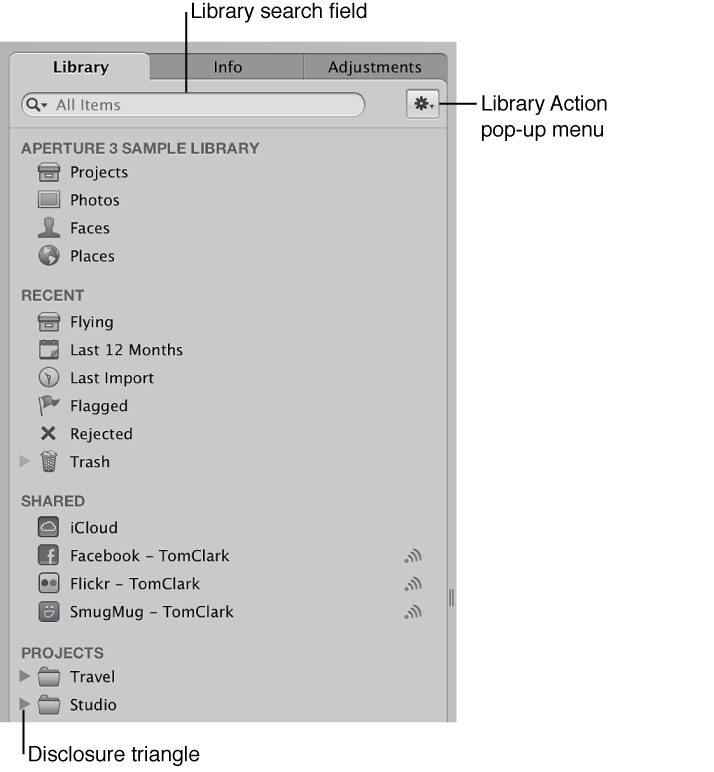

The Library inspector provides access to items tracked by the Aperture library, such as projects and albums, and different views of the contents of the library. For example, you can select Faces in the Library inspector to view your photos grouped by the people in them, or Places to view your photos grouped by where they were taken.
There are several controls you use to work with items in the Library inspector.
Library search field: Enter text to search for items located in the Library inspector.
Disclosure triangle: Click to see all items within a project, a folder, or the Trash.
Library Action pop-up menu: Add the selected item to a list of favorites or remove it from the favorites list. You can also choose to export items selected in the Library inspector or maintain previews. For more information about previews, see Preview images overview.
The main space of the Library inspector displays several categories that let you view your photos organized in different ways.
Library category
The Library category contains icons that, when selected, display your photos organized in any of four different ways:
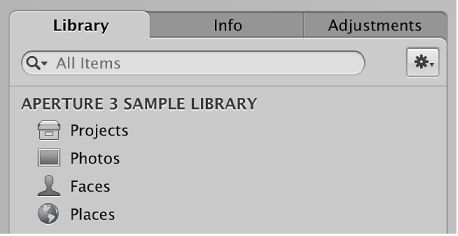
Projects: Select the Projects icon to have all the projects in the library appear in Projects view in place of the Browser and Viewer. Each project is represented by a single thumbnail. You can position the pointer over a project thumbnail and drag to quickly skim the photos in the project. When you hold down the Control key and click a project’s thumbnail, a shortcut menu appears that allows you to create a new project, display information about the project, delete the project, import files into the project, export the project as a library, set the currently displayed image as the key photo that represents the project, empty the Aperture Trash, or play each photo in the project in a slideshow. Double-click the project’s thumbnail to see the photos in the Browser.
For more information, see View projects.
Photos: Select this item to see all photos, video clips, and audio clips in the library. All media in the library is displayed in the Browser as thumbnails. Select a thumbnail in the Browser to view it or listen to it in the Viewer.
Faces: Select this item to view people identified in photos and tracked by Aperture in the library. Click the Info button  on a snapshot to show the Info HUD. The Info HUD provides the name of the person, how many photos in the library contain the person, when the photos were shot, and the person’s full name and email address (if you entered them). Click the View Photos button in the HUD to view all the photos the person appears in and any photos the person might appear in.
For more information, see Faces overview and Add names to faces in your photos.
Places: Select this item to view a map that shows the locations where photos in the library were shot.
For more information, see Places overview and View photo locations.
Recent category
You can select icons in the Recent area of the Library inspector to view photos you’ve imported recently, flagged photos, rejected photos, or photos you’ve placed in the Aperture Trash.
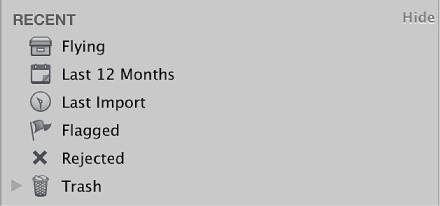
Last 12 Months: Select this item to see all photos, video clips, and audio clips imported into Aperture during the last 12 months. Select a thumbnail in the Browser to view it or listen to it in the Viewer.
Last Import: Select this item to see all photos, video clips, and audio clips imported into Aperture during the last import session. Select a thumbnail in the Browser to view it or listen to it in the Viewer.
Flagged: Select this item to see all the photos, video clips, and audio clips in the library that have been flagged. The thumbnails for all flagged media appear in the Browser. Select a thumbnail in the Browser to view it or listen to it in the Viewer.
Trash: Select this item to see all the photos, video clips, and audio clips in the library that have been deleted. The thumbnails for all deleted media appear in the Browser. Select a thumbnail in the Browser to view it or listen to it in the Viewer. Click the disclosure triangle next to the Trash to view any items that have been deleted in the Library inspector. Select an item in the Trash to view its contents.
Note: If there is no disclosure triangle next to the Aperture Trash, no items in the Library inspector have been deleted since the last time the Trash was emptied.
For more information, see Work with the Aperture Trash.
Projects and album categories
Below the Library and Recent categories, other categories appear when specific types of content are present in your library. The Projects category (not to be confused with the Projects icon in the Library category) lists each project in your library. When you add albums to your library (book albums, Light Table albums, slideshow albums, and so on), those categories appear in the Library inspector (unless you add an album to a specific project, in which case the album appears below that project in the Projects category).